
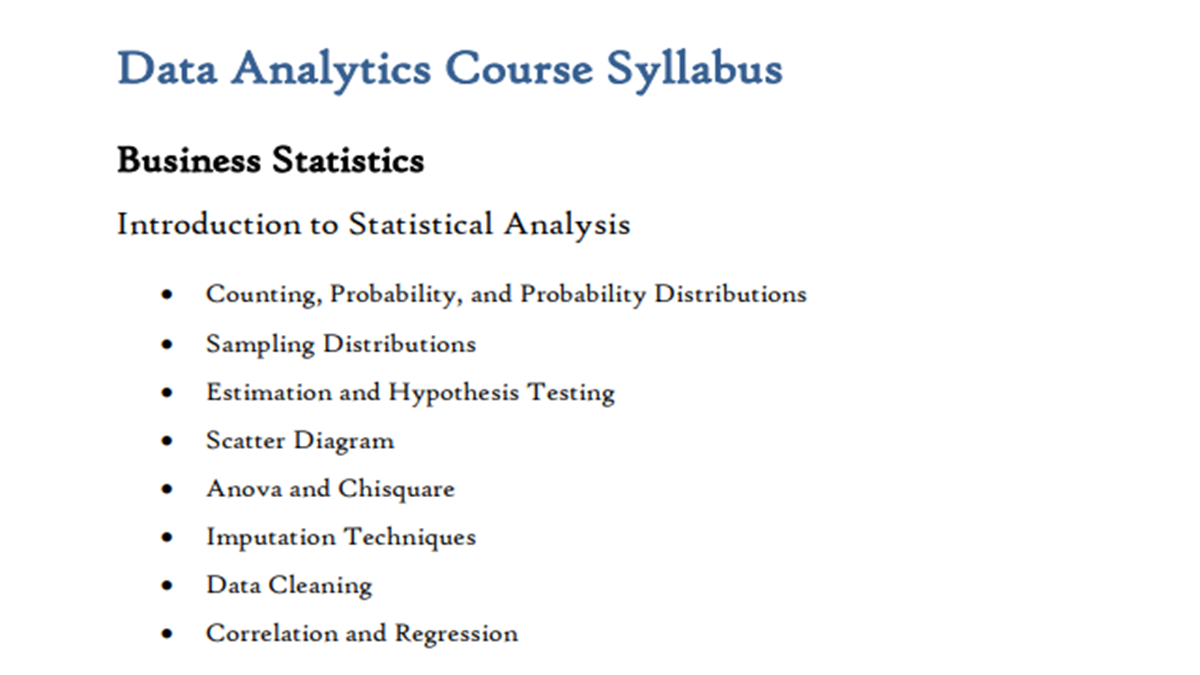
A Data Analytics Course Syllabus typically covers essential topics like data collection, cleaning, analysis, and visualization. It begins with foundational tools such as Excel, SQL, and Python, progressing to statistical analysis and data wrangling. Learners explore data visualization with tools like Tableau or Power BI, and build knowledge in business intelligence. Courses also include case studies, real-world projects, and insights into machine learning basics. Emphasis is placed on critical thinking, data-driven decision-making, and communication skills. By the end, students are equipped to interpret complex datasets, derive insights, and support strategic decisions across industries using modern analytical techniques.
Data Analytics Course Syllabus
Here’s a detailed 2025 Data Analyst Course Syllabus tailored for both beginners and professionals. The course is divided into three levels to accommodate learners at different stages:
Data Analystics Course Level 1 Syllabus: Beginner (Foundations)
1. Introduction to Data Analytics
-
What is Data Analytics?
-
Lifecycle of Data Analysis
-
Roles & Responsibilities of a Data Analyst
-
Career paths and industry use cases
2. Excel for Data Analysis
-
Basic to Advanced Excel Functions (VLOOKUP, INDEX/MATCH, etc.)
-
Pivot Tables and Charts
-
Data Cleaning and Validation
-
Excel Dashboards
3. Statistics & Probability
-
Descriptive Statistics: Mean, Median, Mode, Std. Dev.
-
Probability concepts
-
Distributions (Normal, Binomial, etc.)
-
Hypothesis Testing & Confidence Intervals
4. SQL for Data Analysis
-
Relational Databases Concepts
-
SELECT, WHERE, JOIN, GROUP BY, HAVING
-
Subqueries, CTEs, and Window Functions
-
Data Cleaning with SQL
5. Data Visualization Basics
-
Principles of effective data visualization
-
Introduction to tools: Tableau / Power BI
-
Creating bar charts, line charts, scatter plots, and maps
Data Analyst Course Level 2 Syllabus: Intermediate (Tooling + Applied Skills)
6. Python for Data Analysis
-
Python basics (data types, loops, functions)
-
Pandas for data manipulation
-
NumPy for numerical computation
-
Data Cleaning and Preprocessing
-
Exploratory Data Analysis (EDA) with Matplotlib and Seaborn
7. Data Wrangling & Transformation
-
Handling missing data and outliers
-
Feature engineering
-
Date and time manipulation
-
String manipulation
8. Databases & Big Data Introduction
-
Data warehousing concepts (OLAP vs OLTP)
-
Introduction to BigQuery, Snowflake, or Redshift
-
Basics of NoSQL (MongoDB)
9. Tableau / Power BI Advanced
-
Interactive dashboards
-
Calculated fields and Parameters
-
Data blending and joins
-
Dashboard optimization and storytelling
10. Capstone Project 1
-
Real-world dataset
-
End-to-end analysis using Excel, SQL, Python
-
Dashboard presentation
Data Analyst Course Level 3 Syllabus: Advanced/Professional (Specialization & Deployment)
11. Advanced Analytics & Statistical Modeling
-
Regression (Linear, Logistic)
-
ANOVA, Chi-Square Tests
-
A/B Testing Design and Analysis
-
Time Series Analysis (ARIMA, forecasting basics)
12. Introduction to Machine Learning for Analysts
-
Supervised vs Unsupervised Learning
-
Scikit-learn library
-
Classification and Clustering Techniques
-
Model evaluation (confusion matrix, ROC, etc.)
13. ETL & Data Engineering Basics
-
Data pipeline concepts
-
Airflow basics or DBT introduction
-
Working with APIs and web scraping
14. Cloud & Deployment
-
Introduction to Cloud (AWS/GCP/Azure)
-
Storing and querying data on the cloud
-
Dashboard deployment (Power BI Service / Tableau Server)
-
Version control with Git and GitHub
15. Capstone Project 2 (Professional-Level)
-
Business case analysis (e.g., sales, marketing, finance)
-
End-to-end analytics pipeline
-
Executive presentation with actionable insights
Additional Resources & Certifications
-
Mock interviews & portfolio building
-
Resume/CV and LinkedIn optimization
-
Certification prep (Google Data Analytics, Microsoft DA-100, Tableau Specialist)
Best Study Material to Cover Data Analytics Course Syllabus
To cover a Data Analytics course syllabus in detail, you need a combination of books + online platforms + practical tools + projects. Below is a complete, structured list of the best study material (beginner → advanced level).
Best Books for Data Analytics (Core Theory + Concepts)
These books cover almost every syllabus topic like statistics, Python, SQL, and business analytics:
Beginner Level
- Python for Everybody – for programming basics
- SQL QuickStart Guide – for database & querying
- Numsense! Data Science for the Layman – easy conceptual understanding
These books help build fundamentals and explain concepts in simple language.
Intermediate Level
- Data Science for Business – business analytics + case studies
- Python for Data Analysis by Wes McKinney
- Data Science from Scratch by Joel Grus
These are widely recommended in academic syllabi and industry training programs.
Advanced Level
- Think Stats – statistical thinking
- Deep R Programming – advanced analytics with R
- Loss Data Analytics – real-world modeling
These resources focus on real datasets + analytical modeling.
Best Online Platforms (Structured Courses)
Top Paid + Free Platforms
- Coursera – IBM, Google Data Analytics courses
- edX – Harvard, MIT programs
- Udemy – affordable complete courses
- DataCamp – hands-on coding practice
Free University-Level Content
- MIT OpenCourseWare – free full course materials from MIT
- VideoLectures.NET – advanced ML & analytics lectures
These platforms provide complete syllabus coverage with videos, assignments, and certificates.
Must-Learn Tools (Practical Syllabus Coverage)
A good Data Analytics syllabus always includes:
Data Handling
- Excel (basic → advanced)
- SQL (queries, joins, database design)
Programming
- Python (Pandas, NumPy, Matplotlib)
- R (optional but useful)
Visualization Tools
- Power BI
- Tableau
According to learners on Reddit:
“Excel, SQL, Python, Tableau & Power BI are must for beginners.”
Practice Platforms (Very Important)
Learning without practice is useless in analytics.
Best Practice Sites:
- Kaggle (datasets + competitions)
- StrataScratch (SQL practice)
- Mode Analytics SQL tutorials
Community advice:
“Try projects using Kaggle datasets… go ham.”
Free Study Resources (Hidden Gems)
- Statistics Online Computational Resource – interactive statistics tools & simulations
- YouTube channels (Alex The Analyst, Corey Schafer)
- Google ML resources
Ideal Study Plan (Complete Coverage) Step-by-Step:
- Start with Basics
- Excel + Statistics
- Learn Programming
- Python + SQL
- Data Visualization
- Tableau / Power BI
- Advanced Topics
- Machine Learning basics
- Projects
- Real datasets (Kaggle)
- Portfolio + Resume
Final Recommendation (Best Combo)
If you want complete syllabus coverage, use this combo:
Books + Coursera Course + Kaggle Practice + Python Projects
This combination ensures:
- Concept clarity
- Practical skills
- Job readiness
FAQs
1. What are the prerequisites for this course?
-
Basic understanding of mathematics and statistics.
-
Familiarity with Excel or spreadsheets is helpful.
-
No prior programming experience is required (unless specified).
2. What topics are covered in the course?
-
Introduction to Data Analysis
-
Data Cleaning and Preprocessing
-
Exploratory Data Analysis (EDA)
-
Statistical Analysis
-
Data Visualization
-
SQL for Data Analysis
-
Python/R for Data Analysis
-
Excel and Spreadsheets
-
Dashboarding (e.g., Power BI/Tableau)
-
Capstone Project
3. Which tools and software will I learn?
-
Excel/Google Sheets
-
SQL (MySQL, PostgreSQL, or similar)
-
Python (Pandas, NumPy, Matplotlib, Seaborn)
-
Power BI or Tableau
-
Jupyter Notebooks
-
Git/GitHub (optional)
4. How is the course structured?
-
Weekly modules with video lessons, readings, and quizzes.
-
Hands-on labs and mini-projects.
-
Final capstone project to apply all skills learned.
5. Is this course beginner-friendly?
Yes. It is designed for learners with little to no background in data analysis, though familiarity with basic computer operations is expected.
6. Will I get a certificate after completion?
Yes, a certificate of completion will be awarded if you successfully complete all course requirements and projects.
7. How much time do I need to commit per week?
On average, 5–8 hours per week, depending on your pace and familiarity with the material.
8. Is there any career support or guidance?
Yes, career support may include resume reviews, LinkedIn profile tips, interview preparation, and access to job boards or networking events (if offered by the course provider).
9. What kind of projects will I work on?
Projects may include:
-
Analyzing sales or marketing data
-
Cleaning real-world datasets
-
Creating dashboards and reports
-
Generating business insights with SQL and Python
10. What roles can I apply for after the course?
-
Data Analyst
-
Business Analyst
-
Junior Data Scientist
-
Reporting Analyst
-
Operations Analyst
11. Is this course theoretical or hands-on?
It is primarily hands-on with a focus on practical skills through real-world datasets and tools.
12. Can I access the course content after completion?
Yes, lifetime or limited-time access is usually provided, depending on the platform.
About The Author
